Test your Internet speed
GCafe Portal measures the shop’s Internet line and rates it for gaming, video and how many PCs it can carry.
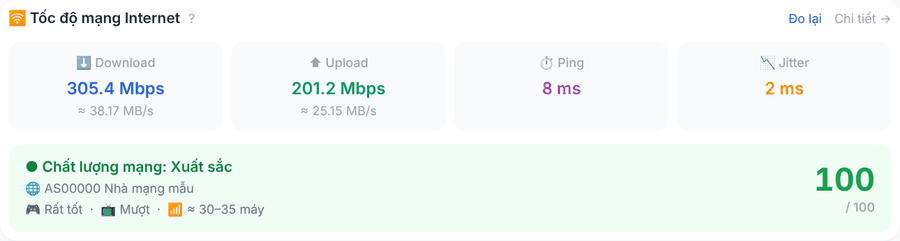
Read the results
The Tốc độ mạng Internet panel at the bottom of the Overview screen runs a test each time it opens. Click Đo lại (Retest) to test again, or Chi tiết (Details) for the full test page (also in the Tốc độ mạng menu).
Metric | Meaning |
|---|---|
Download / Upload | Download / upload speed (Mbps, with MB/s). |
Ping | Latency; lower means smoother gaming. |
Jitter | Ping variation; high values cause lag. |
Chất lượng mạng (Network quality) | Score 0–100: Excellent / Good / Average / Poor, with ratings for Game, Video and PC capacity. |
💡 Tip: Test at peak hours to know whether the line is enough for the whole shop. If ping and jitter stay high, contact your ISP.