User groups and price lists
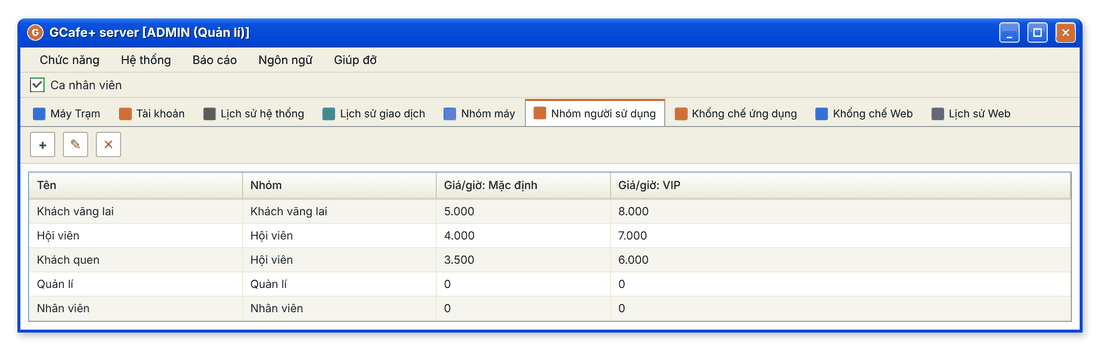
User groups decide how much an account pays on each machine group. There are four default groups — walk-in customers, members, managers and staff — and you can add your own, such as regulars.
New interface
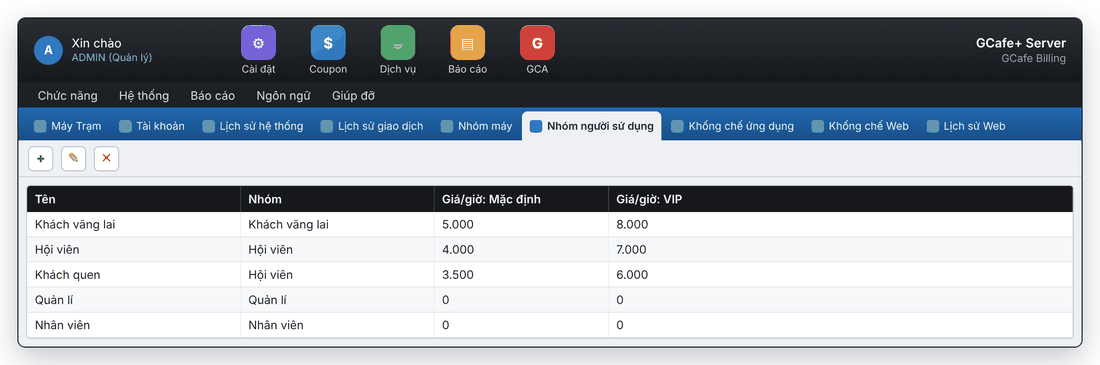
Classic interface
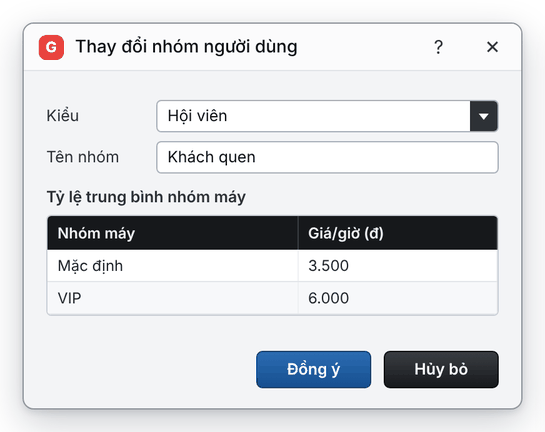
Add or edit a user group
- Open the Nhóm người sử dụng (User groups) tab.
- Click Add (+) for a new group, or select a group and click Edit (✎).
- In the Thay đổi nhóm người dùng dialog: choose Kiểu (type), enter Tên nhóm (group name), then the price for each machine group in the Tỷ lệ trung bình nhóm máy table.
- Click Đồng ý (OK).
New interface
Classic interface
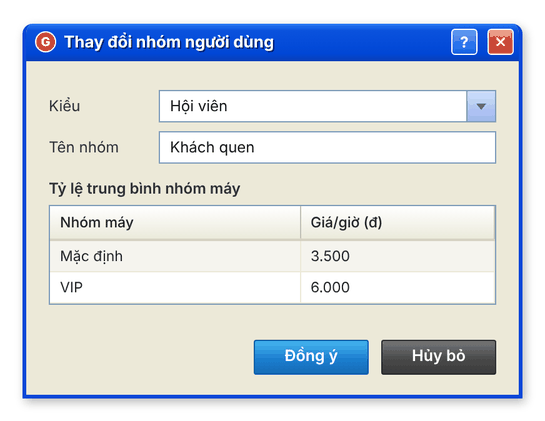
Prices must be numbers. The machine groups in the table come from the Machine groups tab.
Delete a user group
Select the group, click Delete (✕), then Yes. Click Cancel to keep it.
💡 Tip: To reward regular customers, create a "Regulars" group with a lower price and move those member accounts into it.