Shut down, restart and power on client PCs
You can shut down or restart one PC, all idle PCs or every client PC from the server, and power on PCs that are switched off using Wake on LAN.
Shut down client PCs
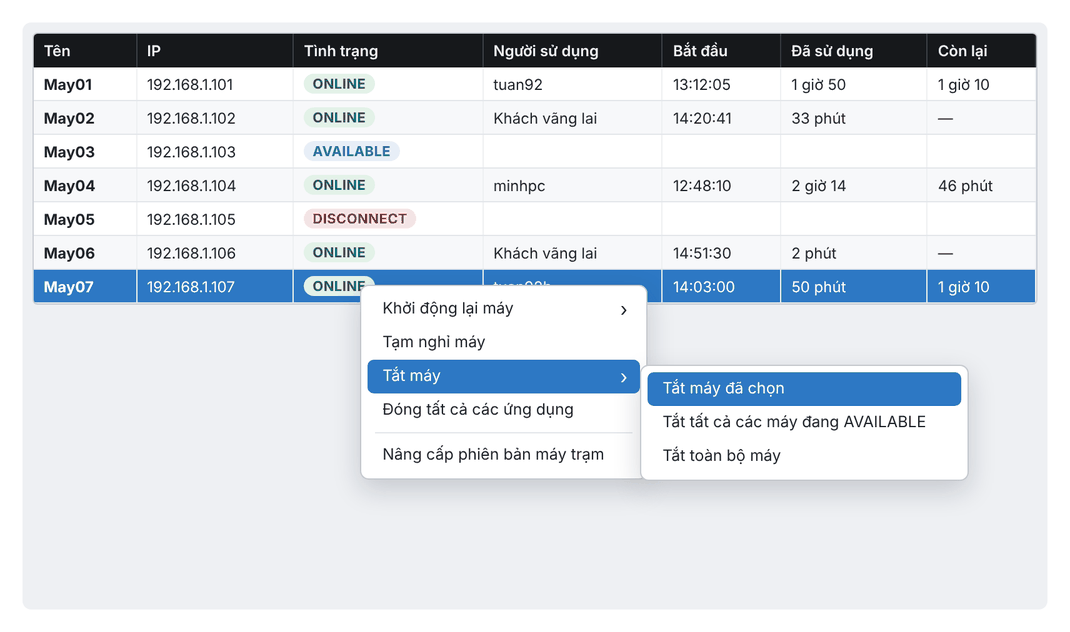
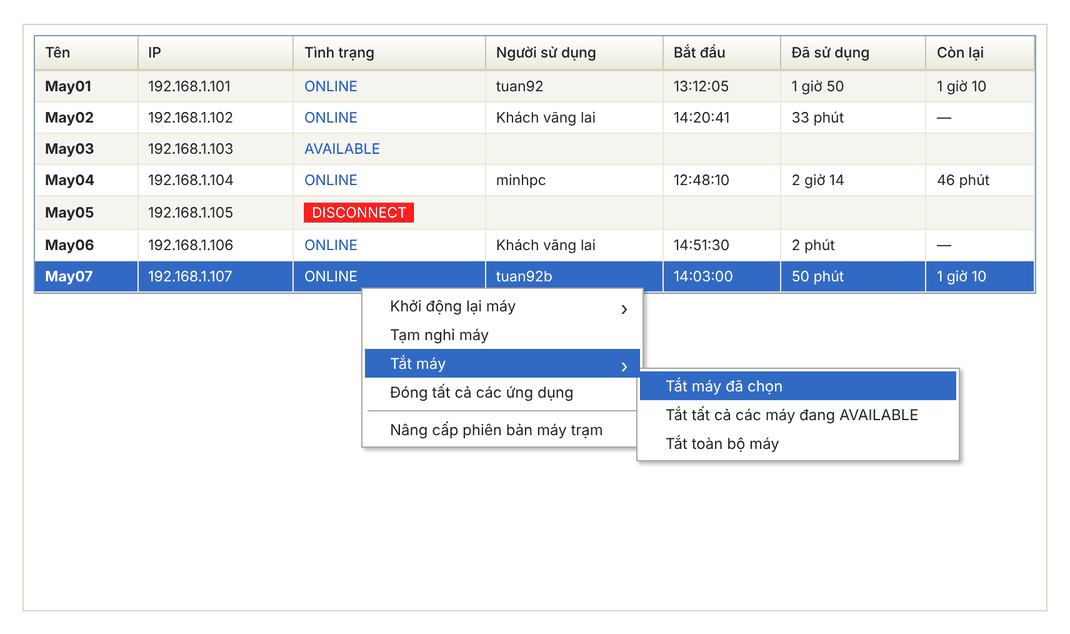
- On the Máy Trạm (Client PCs) tab, right-click a connected PC.
- Choose Tắt máy (Shut down), then one of:
- Tắt máy đã chọn: only the selected PC.
- Tắt tất cả các máy đang AVAILABLE: every PC that is on but not in use.
- Tắt toàn bộ máy: all client PCs, including those in use.
- Click Yes in the confirmation (or Cancel).
New interface
Classic interface
Restart client PCs
Same as above, but choose Khởi động lại máy (Restart) with the matching three options: selected PC, all AVAILABLE PCs, all PCs.
⚠️ Note: Staff can act on all client PCs only after the Admin account grants permission.
Power on client PCs remotely (Wake on LAN)
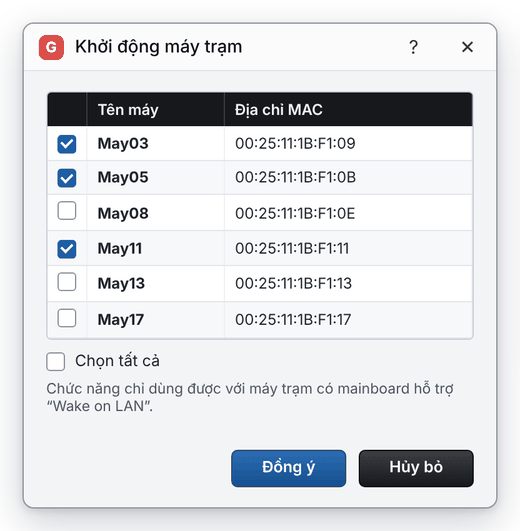
- Choose Hệ thống › Khởi động máy trạm (System › Start client PCs).
- Tick the PCs to power on (or Chọn tất cả, select all).
- Click Đồng ý (OK).
New interface
Classic interface
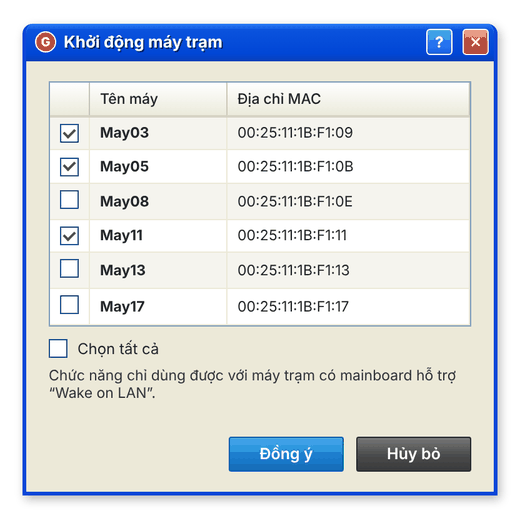
This only works on client PCs whose motherboard supports Wake on LAN with it enabled in the BIOS.
💡 Tip: To shut PCs down automatically at a set time or after they sit idle, use System settings.